See how BetweenSessions.care works
A visual tour of the platform from both provider and client perspectives.
Try it yourself with a Demo Account
Sign up free and instantly access a demo client to explore every feature hands-on.
For therapists and healthcare providers
Manage clients, review journals, set treatment goals, track mood patterns, share resources, and review AI-compiled client summaries — all in one place.
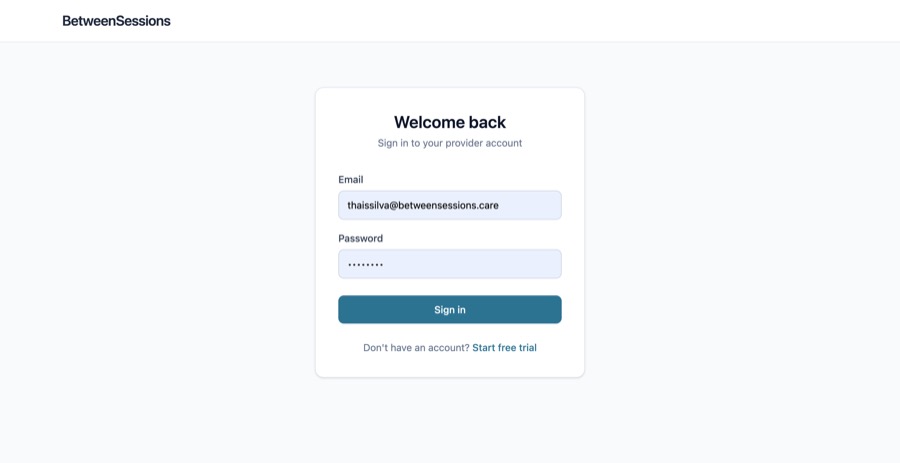
Sign in to your dashboard
Providers log in with email and password to access their client management dashboard.
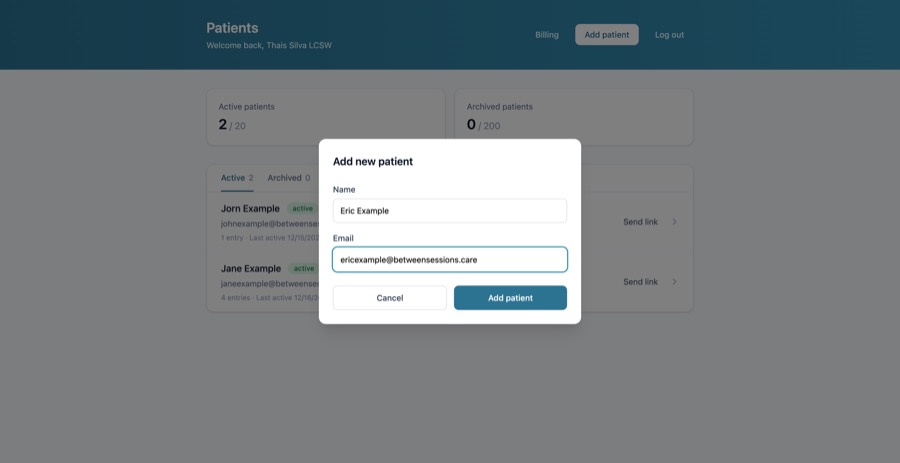
Add a new client
Click "Add Client" to invite a client. Just enter their name and email address.
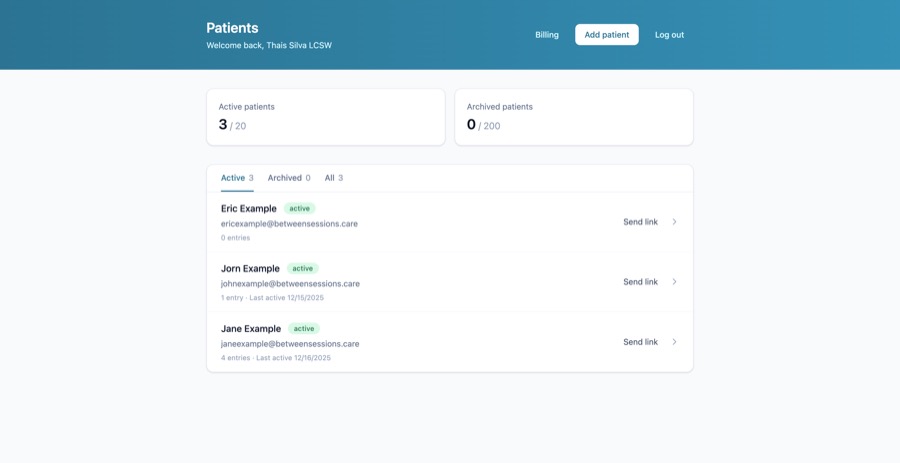
View your client list
See all your clients at a glance, with unread journal entry counts and status indicators.
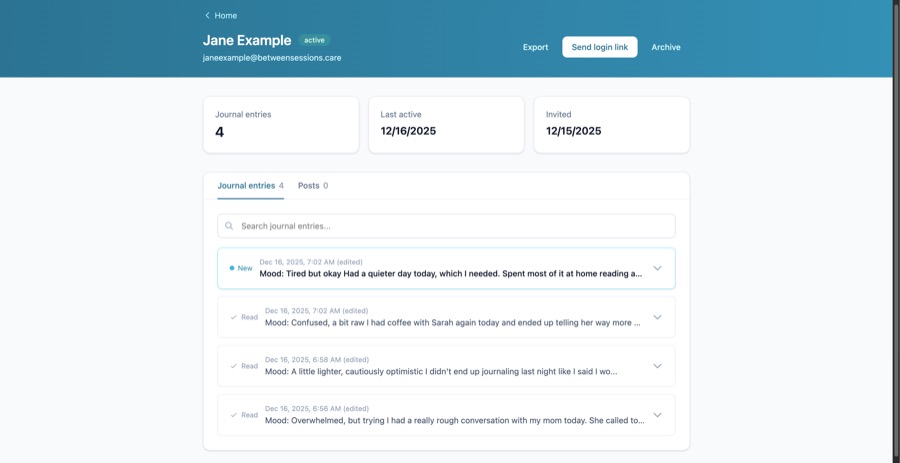
Review client journals
Click into a client to see their journal entries. New entries are highlighted so you never miss an update.
Read journal entries in detail
Expand any entry to read the full content. Entries are automatically marked as read.
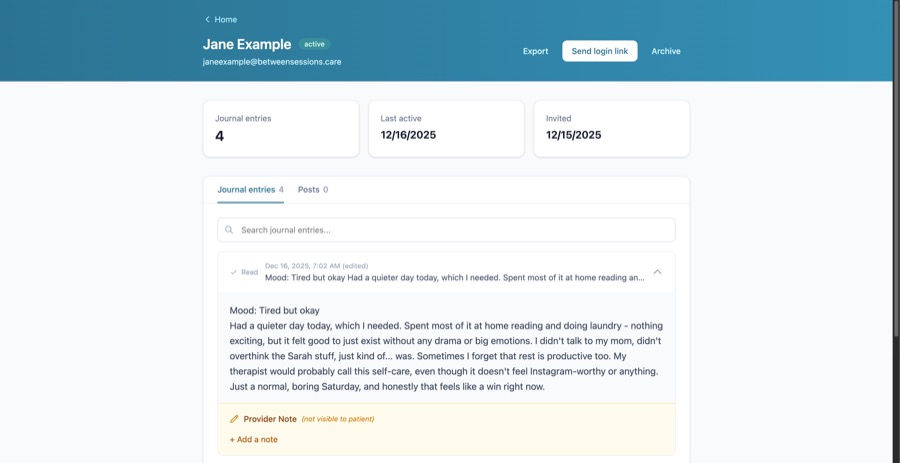
Search through journals
Use the search feature to find specific topics or keywords across all of a client's entries.
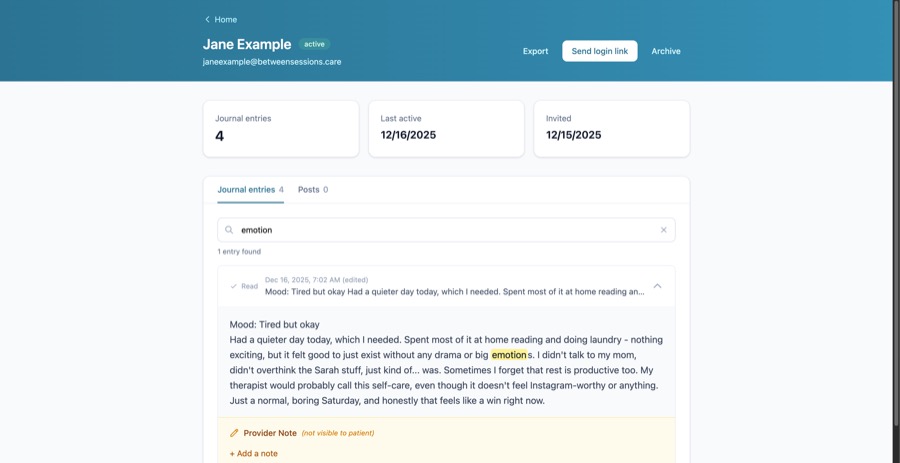
Add private notes
Add your own notes to any journal entry. These notes are never visible to the client.
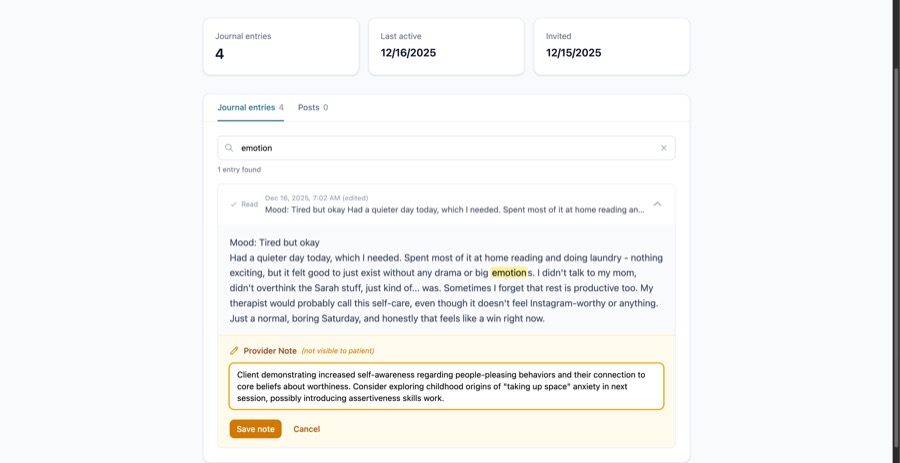
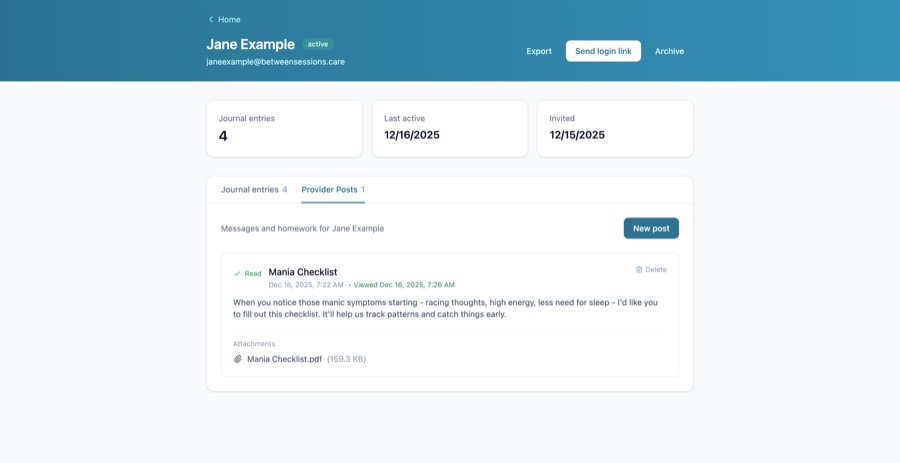
Send posts to clients
Share worksheets, resources, or messages with your client. Attach files like PDFs or images.
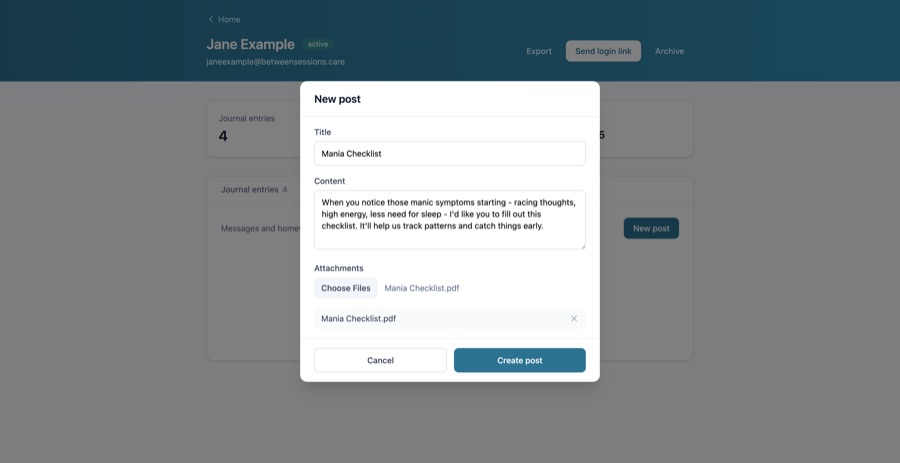
Track what clients have read
See which posts your client has viewed with read/unread status indicators.
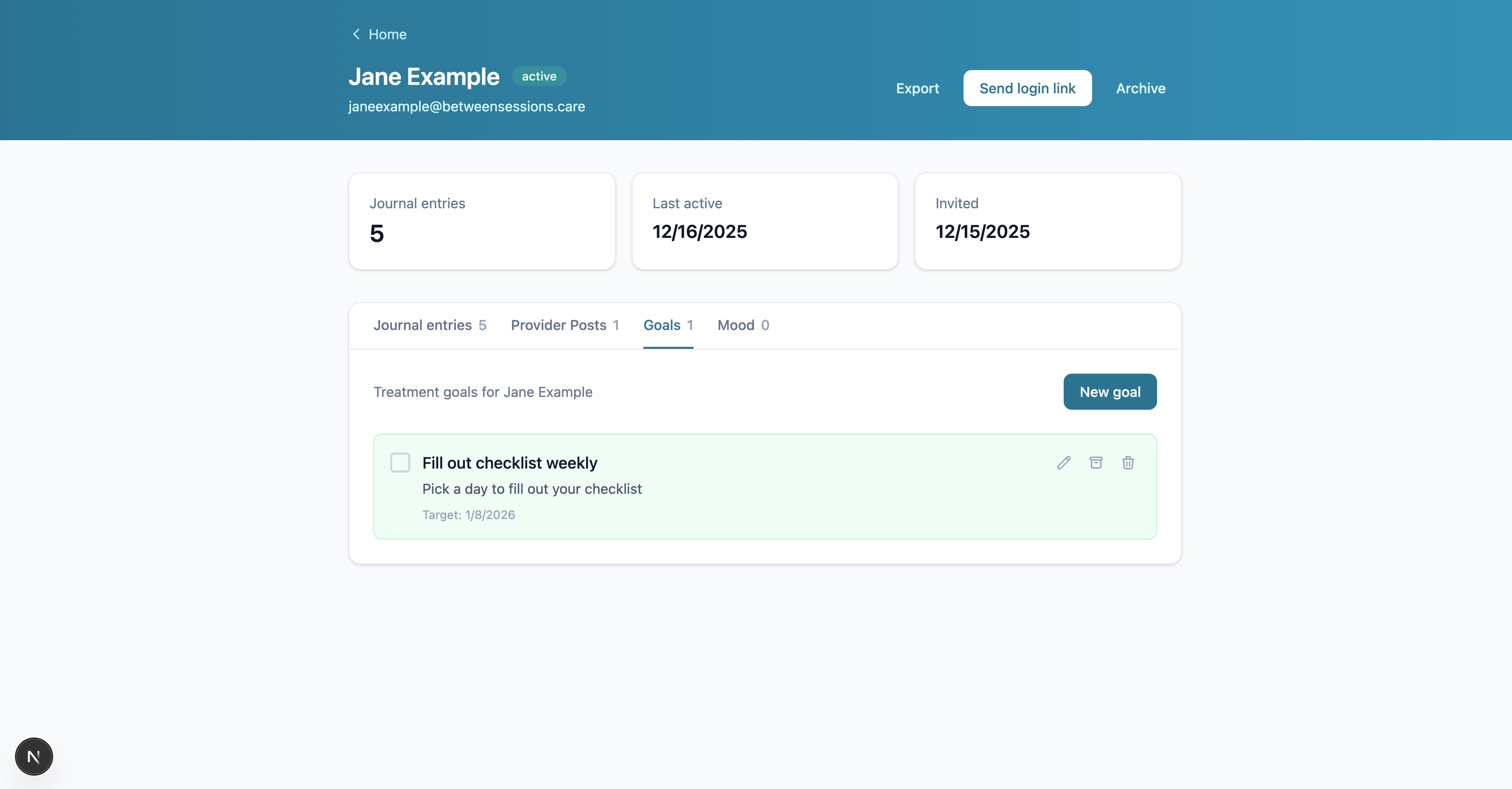
Set treatment goals
Create personalized goals for each client. Track progress as they mark goals complete.
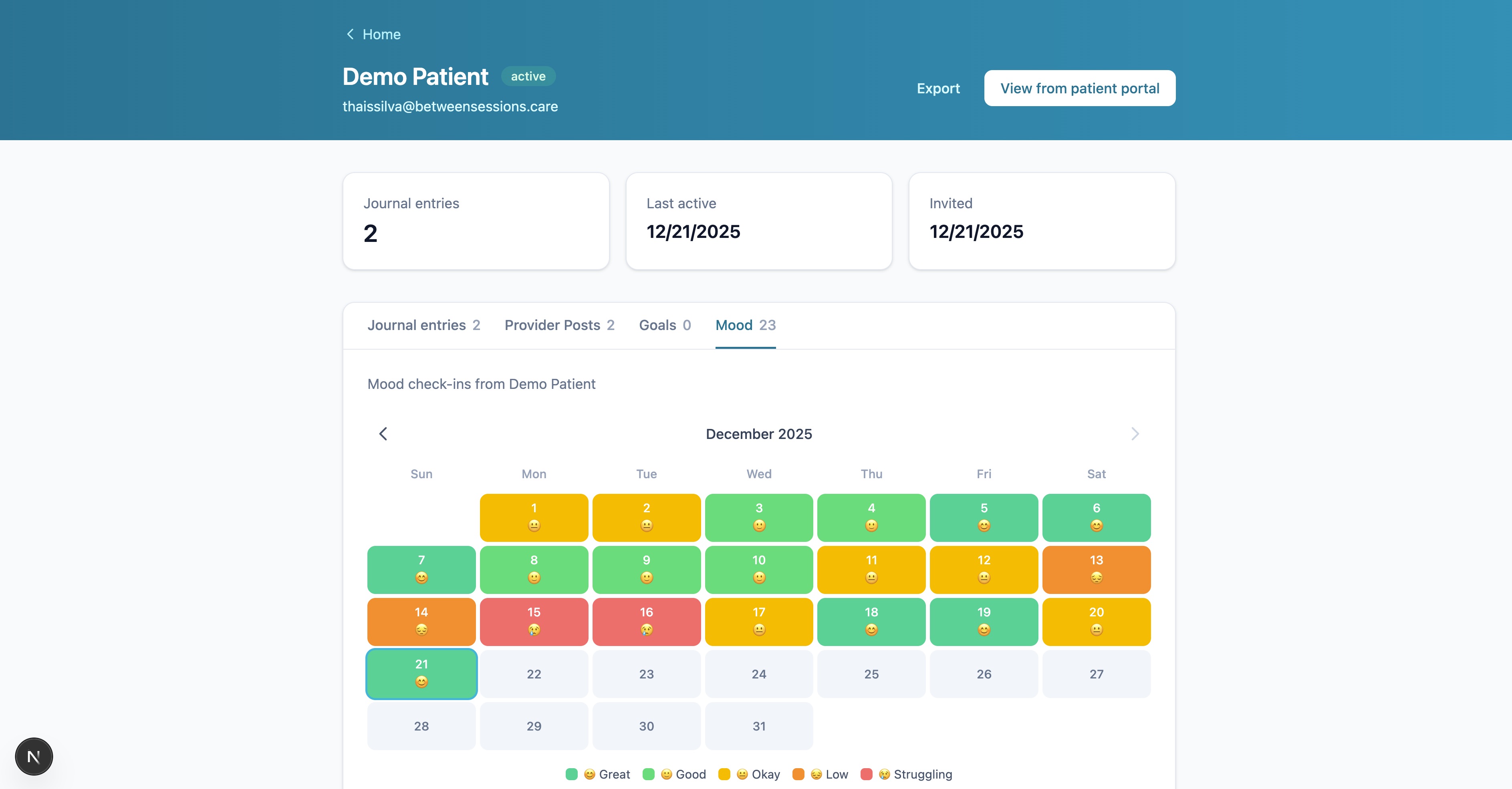
Monitor mood trends
View your client's mood check-ins on a visual calendar. Spot patterns and identify when they might need extra support.
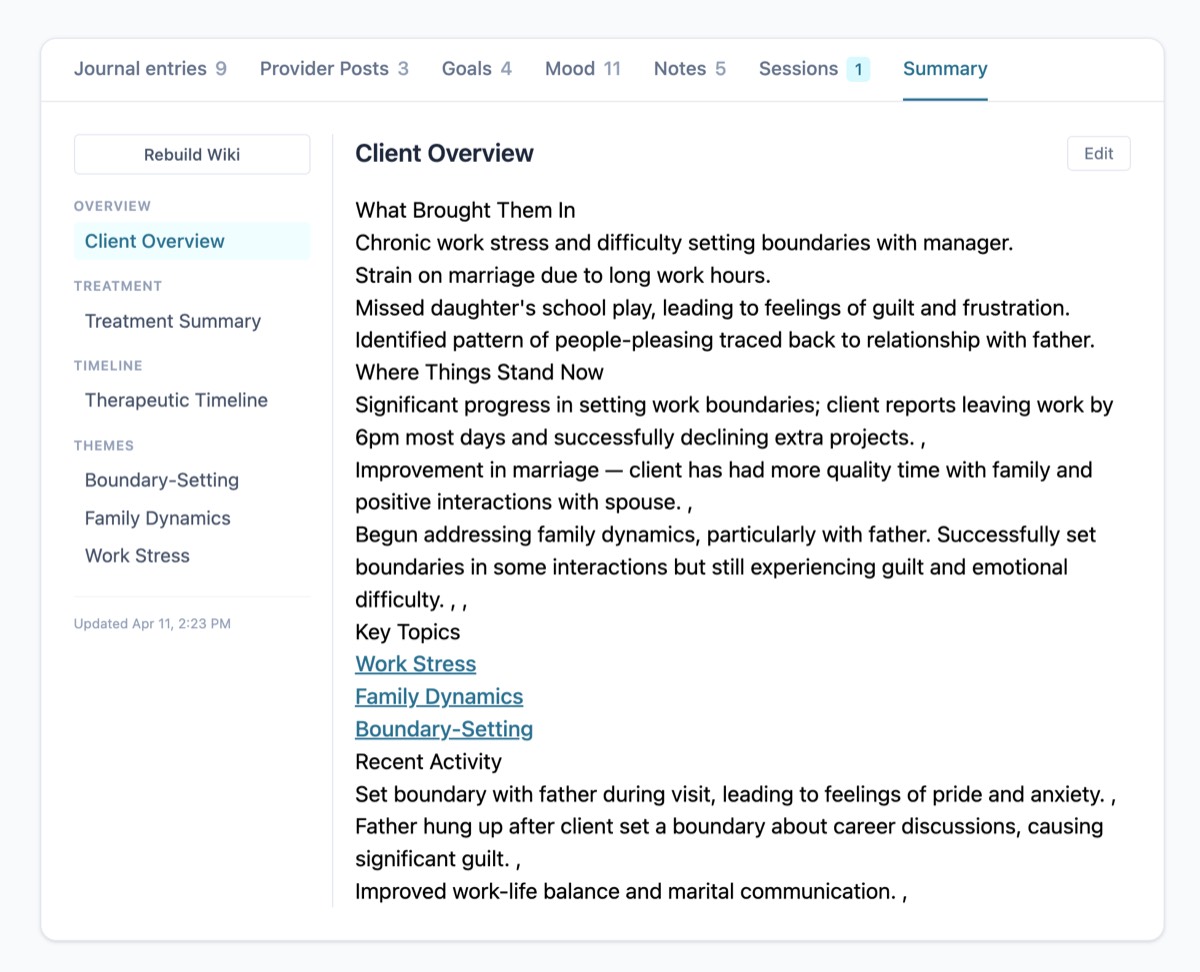
Review the client summary
Everything — journal entries, mood data, your clinical notes, treatment goals, and session history — is compiled into a living, cross-referenced client summary. Updated automatically as new information comes in. Editable by you.
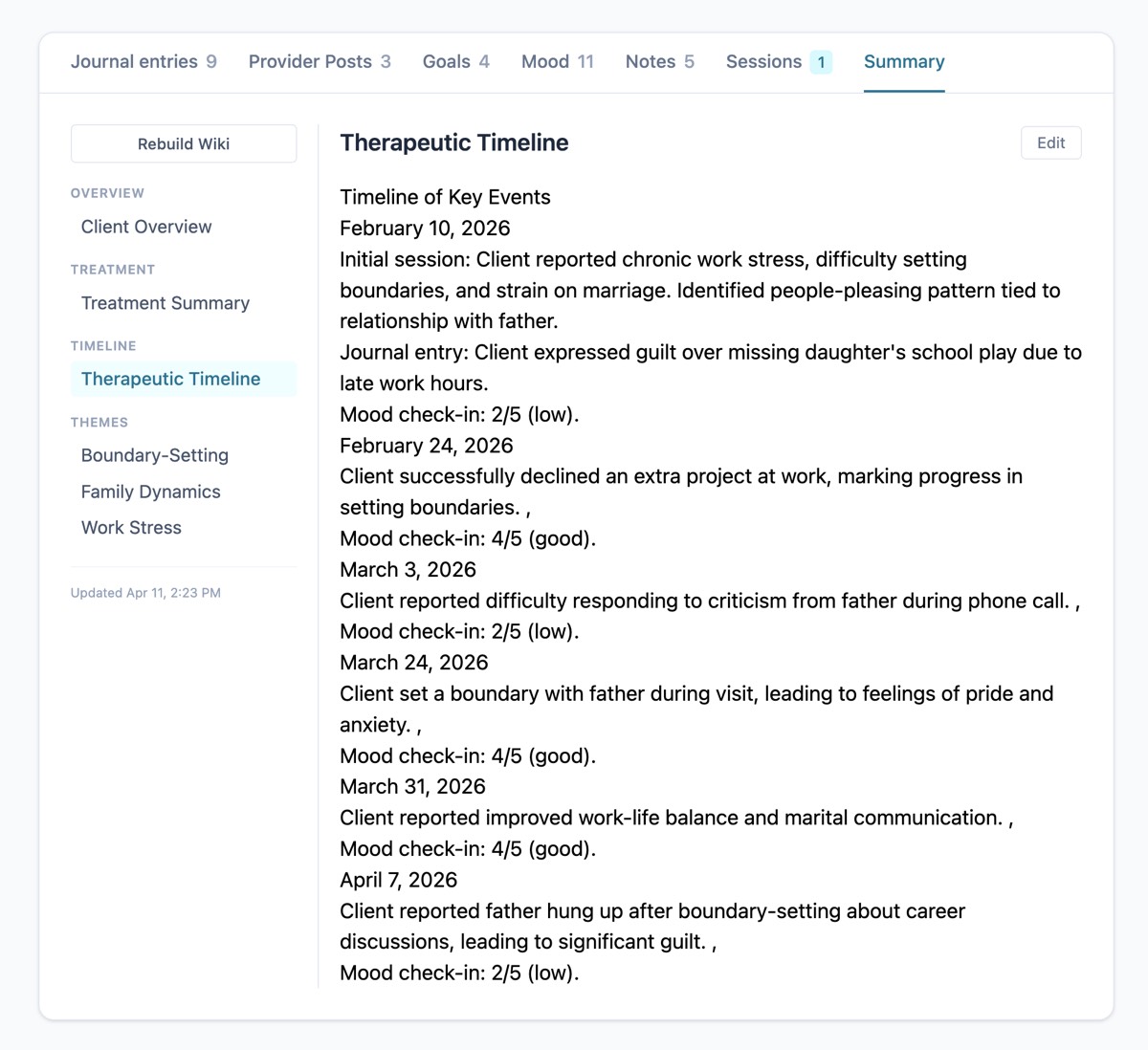
Follow the therapeutic timeline
See the client's journey laid out chronologically — key events, what was discussed, mood check-ins, and milestones. Quickly get up to speed on what happened and when.
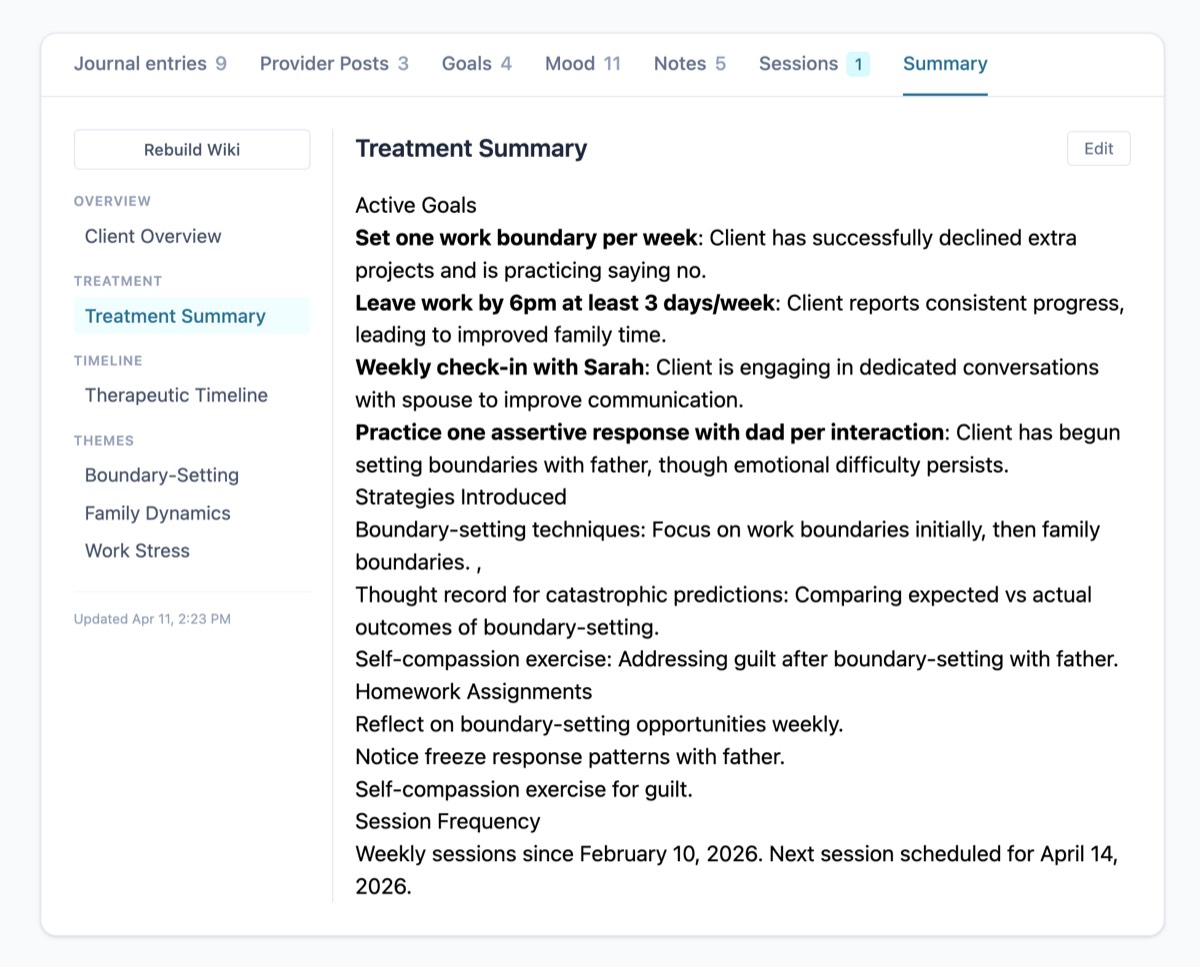
Check the treatment summary
Active goals, strategies introduced, homework assignments, and session frequency — all in one place. See what you're working on together and how the client is progressing.
Simple tools for clients
Journal entries, mood check-ins, and goal tracking. No accounts to create, no passwords to remember.
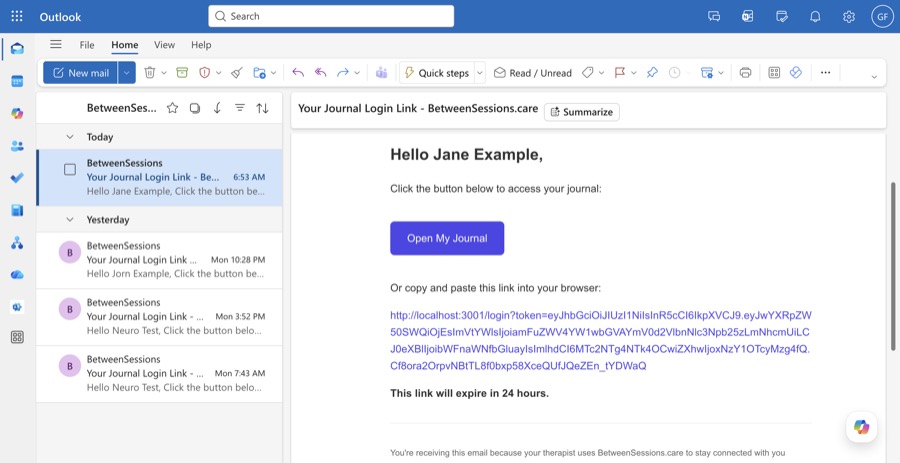
Receive a magic link
Clients receive an email with a secure magic link. No passwords to remember.
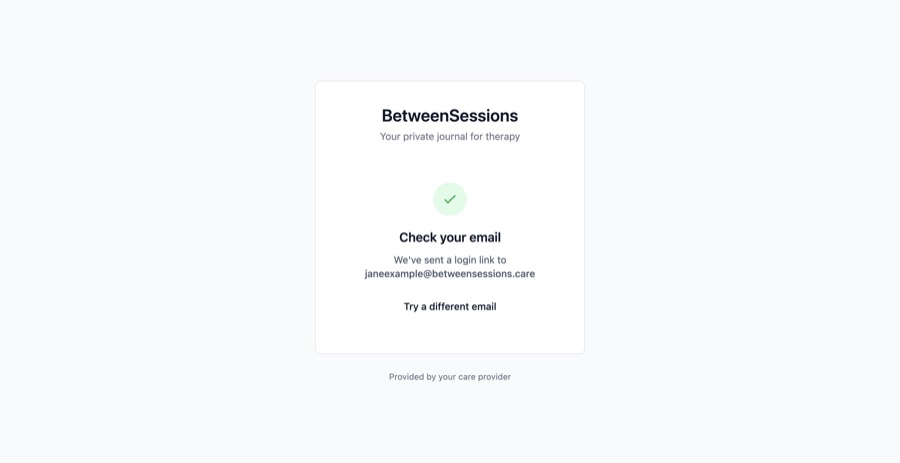
One-click sign in
Clicking the link takes them directly to their journal. Simple and secure.
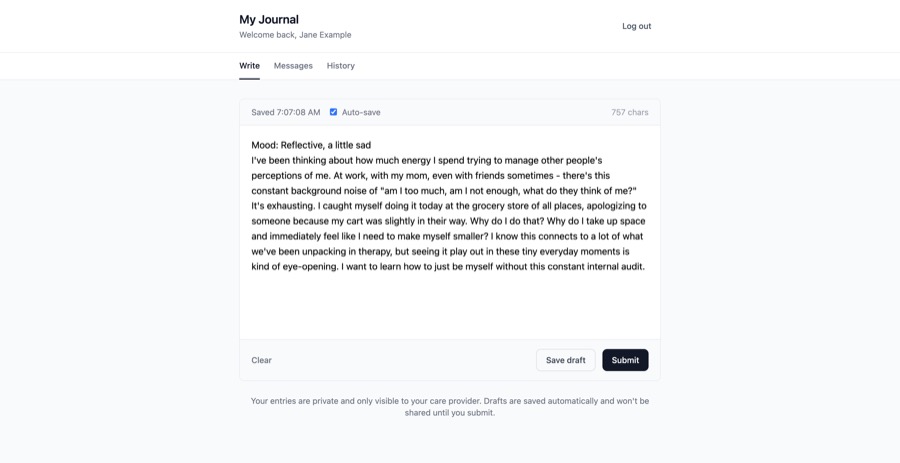
Write journal entries
A clean, distraction-free writing space. Entries auto-save as drafts until published.
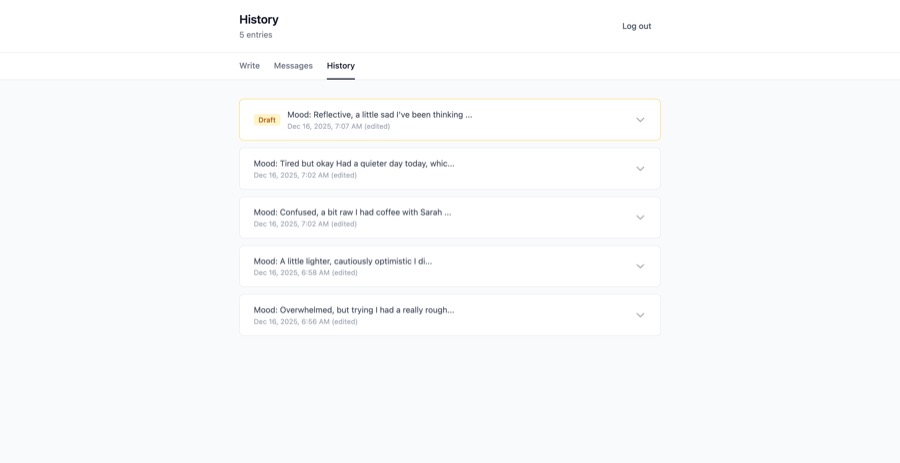
Review past entries
Clients can look back at their journal history and see drafts they haven't published yet.
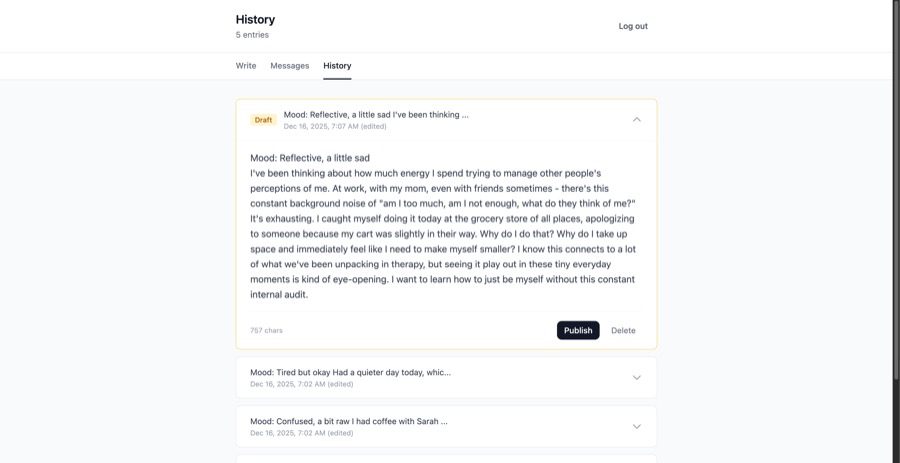
Expand entries to review
Click any entry to see the full content. Drafts can be edited or published.
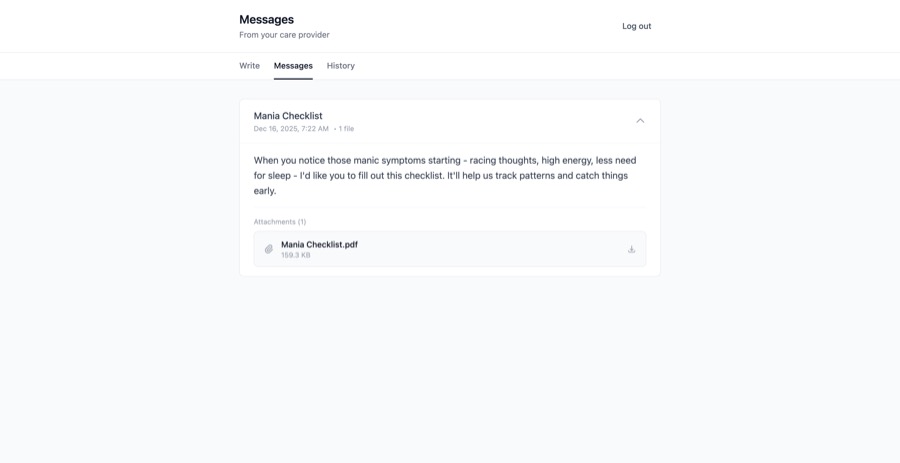
Read messages from provider
Clients see posts from their provider, including any attached files or resources.
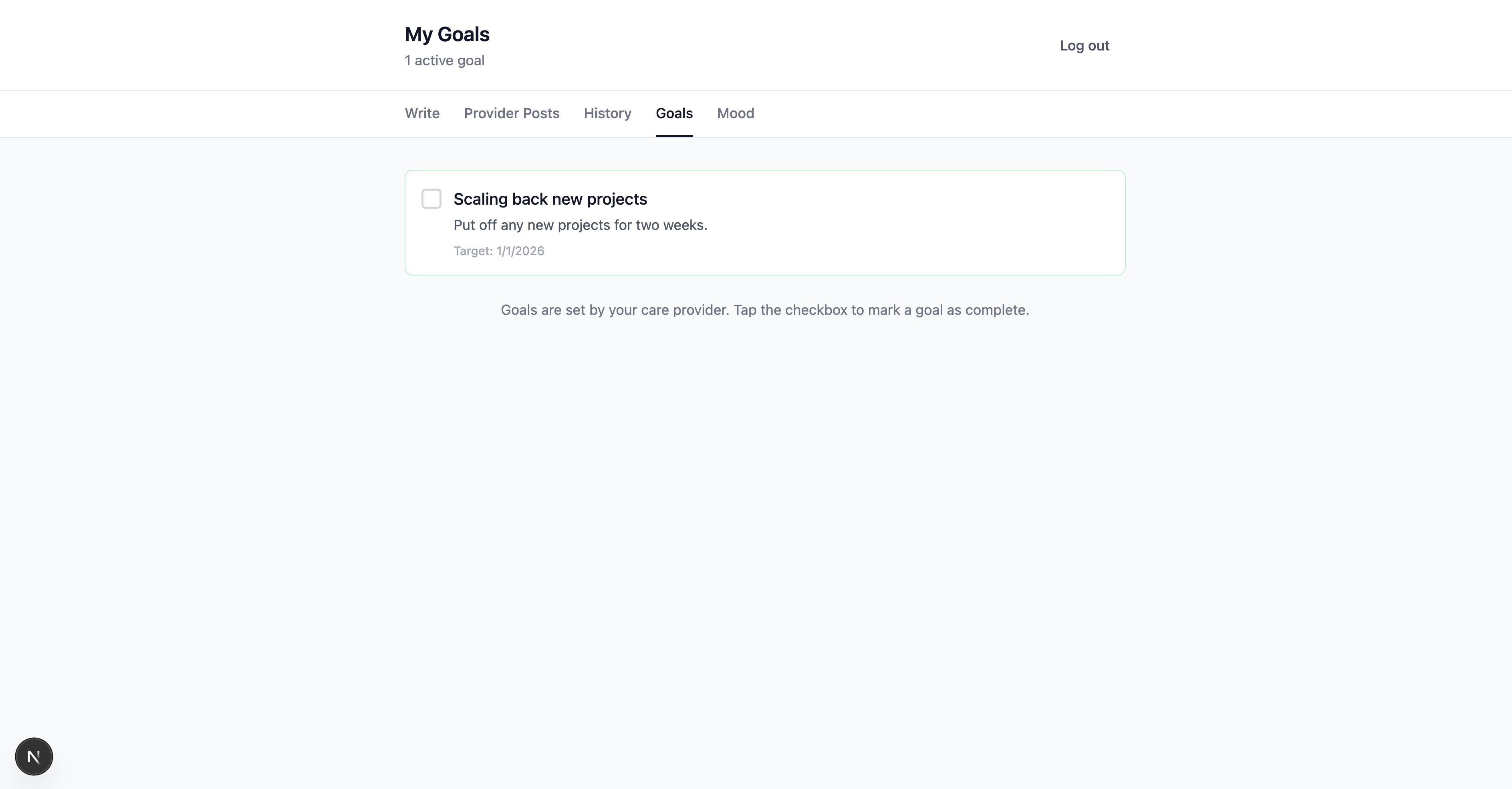
Track treatment goals
View goals set by your provider and mark them complete as you make progress.
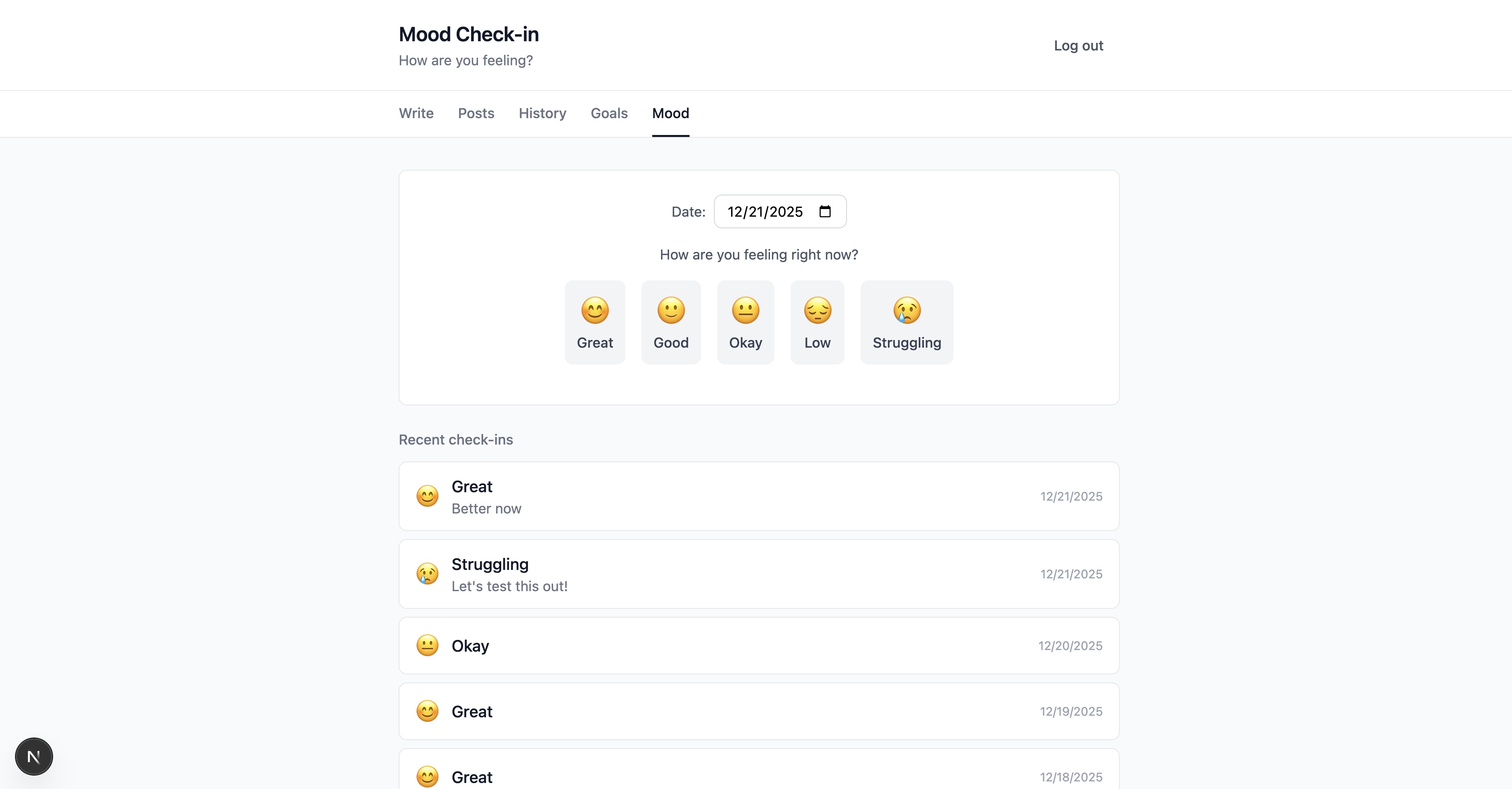
Log daily mood
Quick daily check-ins help track emotional patterns over time. Choose from 5 mood levels with optional notes.
Ready to get started?
Join providers who are using BetweenSessions.care to stay connected with their clients.
30-day money-back guarantee